Eight days. That’s how long it took Google to look at my blog and say, “Nah.”
If you’ve been following this series — Part 1 covered getting started with AdSense and Part 2 covered inserting the code and verification — you know I applied for Google AdSense on Day 12 of this blog’s existence. Day 20, I got my answer.
It wasn’t the answer I wanted.
The Rejection Email (Well, Dashboard Notification)
I checked the AdSense dashboard at around 3 AM — because apparently that’s when I make my best decisions — and there it was. The dreaded message:
“광고 게재가 준비되지 않은 사이트” — Site not ready for ads.
The reason? “정책 위반이 발견되었습니다” → “가치가 별로 없는 콘텐츠”
Translation: “Low value content.”
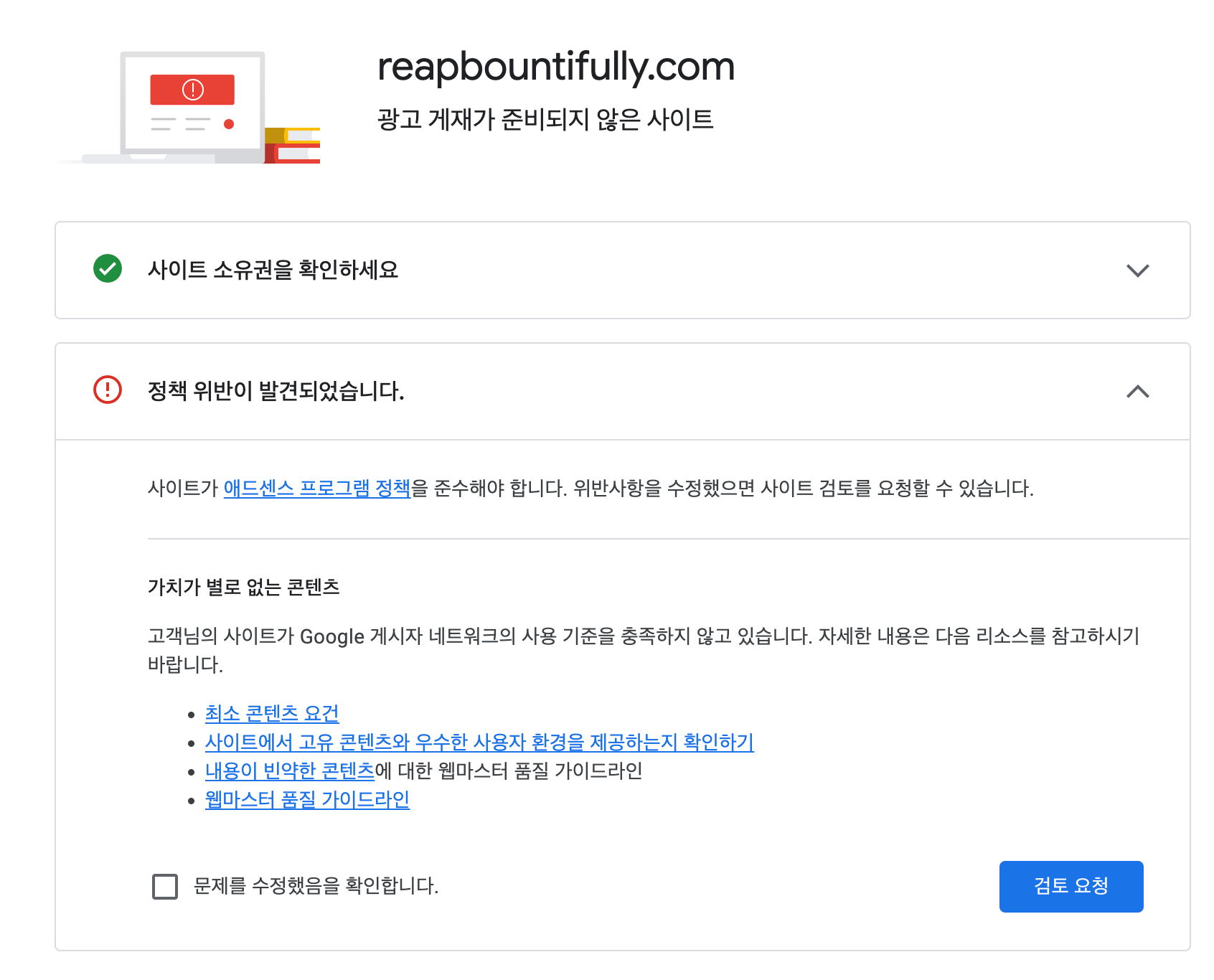
Google’s rejection page helpfully pointed me toward their minimum content requirements, unique content guidelines, thin content guidelines, and webmaster quality guidelines. Basically: “Go read all of these and figure out what you did wrong. We’re not going to tell you specifically.”
Thanks, Google. Very helpful.
My Honest Reaction: Not Surprised, But Still Annoyed
Let me be real — I wasn’t shocked. The blog was barely three weeks old with minimal organic traffic. Getting approved that early would have been the surprise.
But “low value content” is frustratingly vague. Was it the writing quality? The number of posts? The site structure? The design? All of the above? Google doesn’t tell you which specific thing failed. You just get a category of rejection and a handful of documentation links.
So I did what any developer would do: I started debugging.
What I Investigated and Fixed
I went through the site with fresh eyes, pretending I was Google’s crawler visiting for the first time. Here’s what I found.
1. Broken Categories — The Big One
This was the discovery that made me facepalm.
When I was using Claude (the AI) to help create and publish posts via WP-CLI, there was a bug in how categories were being assigned. Instead of passing category IDs like 13 and 16 as IDs, they were being passed as category names. WordPress, being WordPress, happily created brand new categories literally named “13” and “16.”
The result? Almost every post on the site was double-categorized — once into the correct category (like “Blog Building” or “Side Hustle”) and once into a garbage category literally called “13” or “16.” If you clicked on those categories, you’d see a messy dump of random posts that didn’t belong together.
Now imagine Google’s crawler hitting those pages. It would see a disorganized site with nonsensical category structures. That’s not a great look when you’re trying to prove you have a “valuable” site.
The fix: I wrote a script using wp_set_post_categories() to reassign all 50+ posts to their correct categories, then deleted the broken “13” and “16” categories entirely. It took about 30 minutes to clean up something that had been silently broken for weeks.
2. Missing Navigation Items
My navigation menu had three items: Home, About, Contact.
What was missing? Privacy Policy and Disclaimer.
Both pages existed — I had created them early on because I knew AdSense required them. But they were sitting there unpublished in the menu. Google’s guidelines specifically mention that policy and legal pages should be easily accessible from your navigation.
The fix: Added Privacy Policy and Disclaimer to the main navigation menu. A 2-minute fix that I should have caught from day one.
3. ads.txt Status
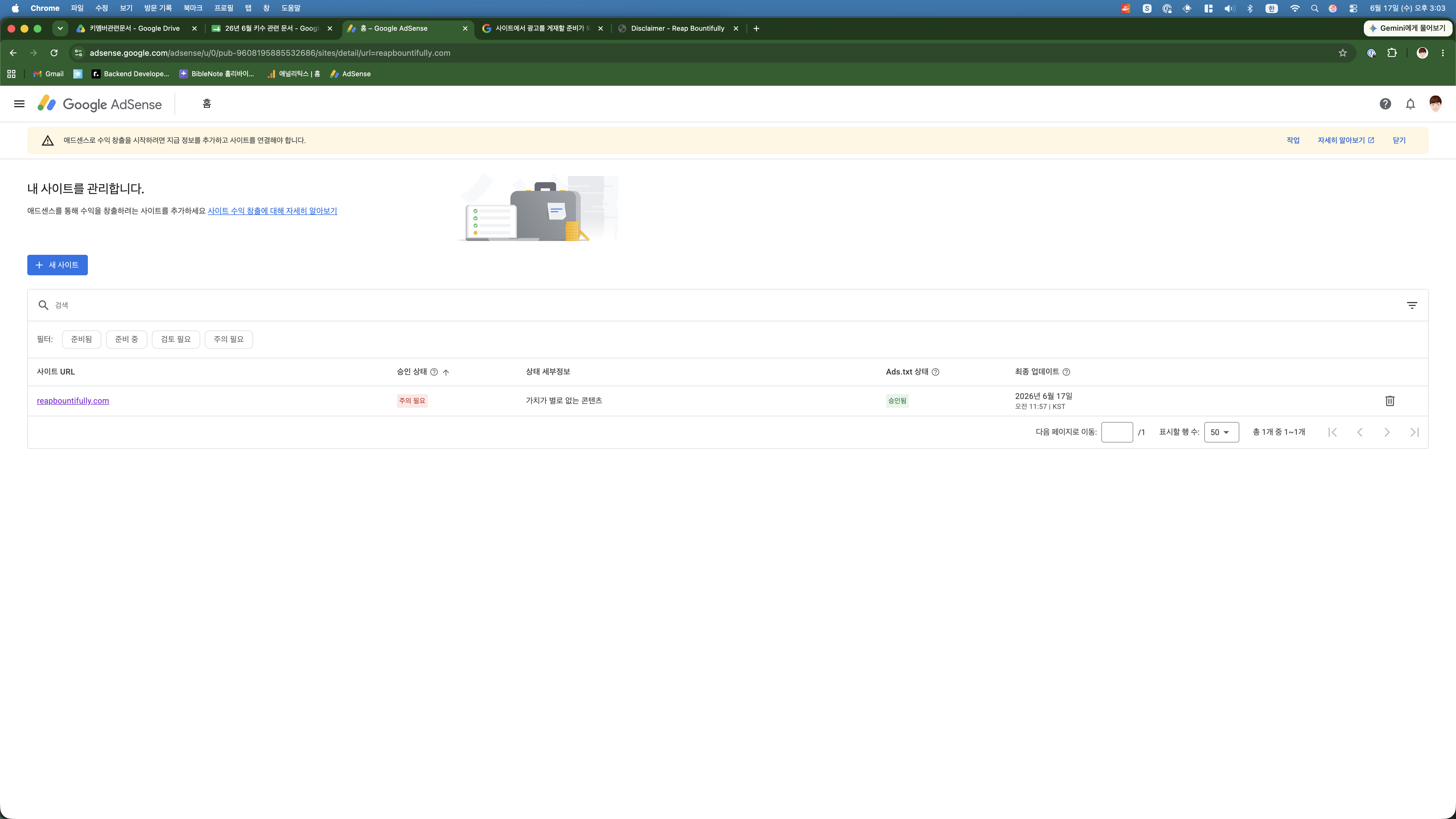
During the first review, my ads.txt status was showing “찾을 수 없음” (not found) in the AdSense dashboard. This is the file that tells ad networks you’re authorized to run their ads on your site.
By the time I checked after the rejection, it had changed to “승인됨” (approved). Google just needed more time to crawl it. No action needed on my part — it fixed itself.
The Reapplication
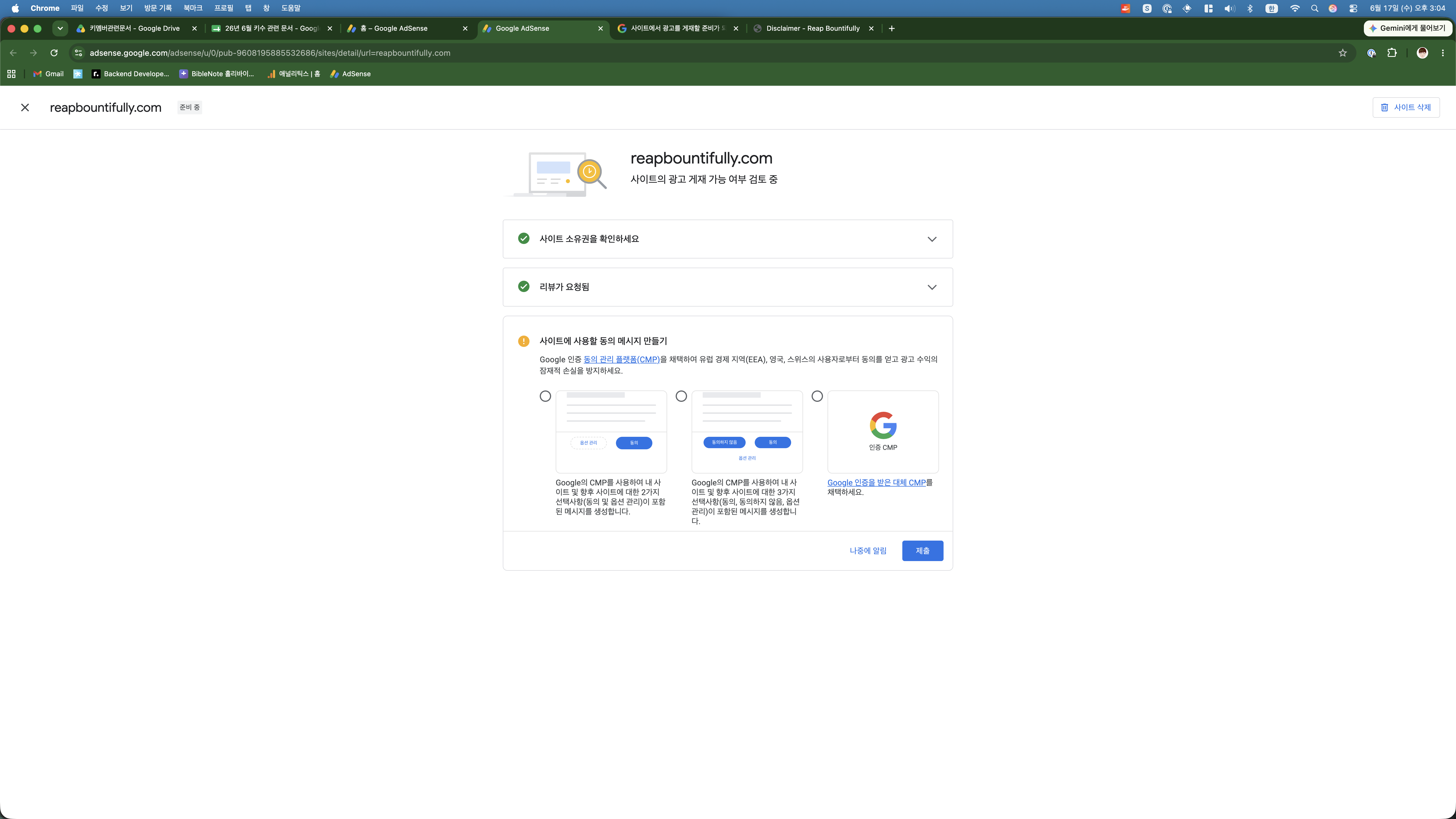
After fixing the categories and navigation, I went back to the AdSense dashboard. There’s a checkbox that says “문제를 수정했음을 확인합니다” (I confirm I’ve fixed the issues), and a button to request another review.
I checked the box. I clicked the button. The status changed back to “사이트의 광고 게재 가능 여부 검토 중” (reviewing whether your site is eligible for ads).
And now we wait. Again.
Lessons Learned from Getting Rejected by AdSense
If you’re reading this because you got the same “low value content” rejection, here’s what I’d recommend checking:
- “Low value content” doesn’t always mean your writing is bad. In my case, it was largely a site structure issue. Broken categories made the site look disorganized and messy to Google’s crawler.
- Check your categories. Seriously. Go look at every category on your site and make sure they make sense. Broken or duplicate categories create junk pages that dilute your site’s quality signals.
- Navigation matters. Privacy Policy, Disclaimer, About, and Contact pages should all be one click away from your menu. Google checks for these.
- Don’t panic about ads.txt. If you’ve set it up correctly, give Google time to crawl it. It can take a week or more to show as approved.
- Rejection is part of the process. Most blogs don’t get approved on their first try. The blogs that eventually get approved are the ones that keep fixing and reapplying.
What’s Different This Time Around
Here’s what the site looks like now versus the first application:
| Factor | First Application | Second Application |
|---|---|---|
| Categories | Broken (junk categories “13”, “16”) | Clean (Blog Building 23, Side Hustle 9, Vibe Coding 8, AI & Tech 3, Korea 1) |
| Navigation | Home, About, Contact only | Home, About, Contact, Privacy Policy, Disclaimer |
| ads.txt | Not found | Approved |
| Published posts | ~30 | 44+ |
| Site age | 12 days | ~3 weeks |
| SEO setup | Partial | All posts optimized |
Am I confident this time? Honestly, not really. Google’s approval process is notoriously unpredictable, and three weeks is still very young for a blog. But the site is objectively better now — cleaner structure, more content, proper navigation, no broken categories sending the wrong signals.
If I get rejected again, I’ll have more content, more traffic history, and more data to work with. Part 4 of this series is ready to go if needed.
The Irony Is Not Lost on Me
There’s something beautifully ironic about writing a blog post about getting rejected by AdSense for “low value content.” The search term “AdSense rejected low value content” is something thousands of bloggers Google every month. This rejection story might end up being one of the most searchable, most valuable posts on the entire site.
Getting rejected by Google might be the most Google-friendly content I’ve ever created. Life is funny like that.
What’s Next
The waiting game continues. Google says reviews can take “a few days to a few weeks.” I’ll update this series when I hear back — whether it’s an approval celebration or another rejection autopsy.
In the meantime, I’m focusing on what I can control: writing useful content, improving site speed, and building organic traffic. The AdSense approval will come when it comes. Or it won’t, and I’ll explore other monetization options.
Either way, the blog keeps growing.